Find out what is wrong with an org before you quote it.
OrgVitals connects to an org you have already authenticated with the sf CLI, pulls a read-only snapshot of its metadata, and runs 49 checks across five categories. It grades the org A to F and shows you what to fix first.
- Version
- 1.1.1
- Released
- 1 July 2026
- Runs on
- macOS · Windows · Linux
- Salesforce access
- Read-only
- Price
- Free
Where your metadata goes.
Read-only, one direction- 01SnapshotApex, Flows, profiles, permission sets, objects, fields, reports, limits, test coverage.
- 02Local databaseThe snapshot lands in a SQLite file on your disk, alongside every prior scan.
- 0349 scannersDependency-ordered waves across a worker pool of up to eight.
- 04GradeFindings, severities and one weighted A–F, plotted against every scan before it.
Nothing is written back to Salesforce, and your metadata and scan results stay on your device.
OrgVitals is a desktop app that gives Salesforce architects and admins one place to see how healthy an org really is. You pick an org you’ve already authenticated with the sf CLI; OrgVitals fetches a read-only snapshot of its metadata — Apex, Flows, profiles, permission sets, objects, fields, reports, dashboards, limits, health-check score, and test coverage — stores it in a local SQLite database, and runs the selected scanners across a worker pool.
The snapshot and all scan history live in a local database on your machine. OrgVitals uses a Google sign-in (your account profile is stored via Firebase), sends crash diagnostics by default (you can opt out), and offers opt-in product analytics. Ask Vita is opt-in and off by default — it’s the only feature that sends org data off the device; if you enable it with your own Anthropic API key, your questions and the metadata it reads go to Anthropic’s Claude API, never to CloudAlgo. Full details are in the Privacy Policy and Data Processing pages.
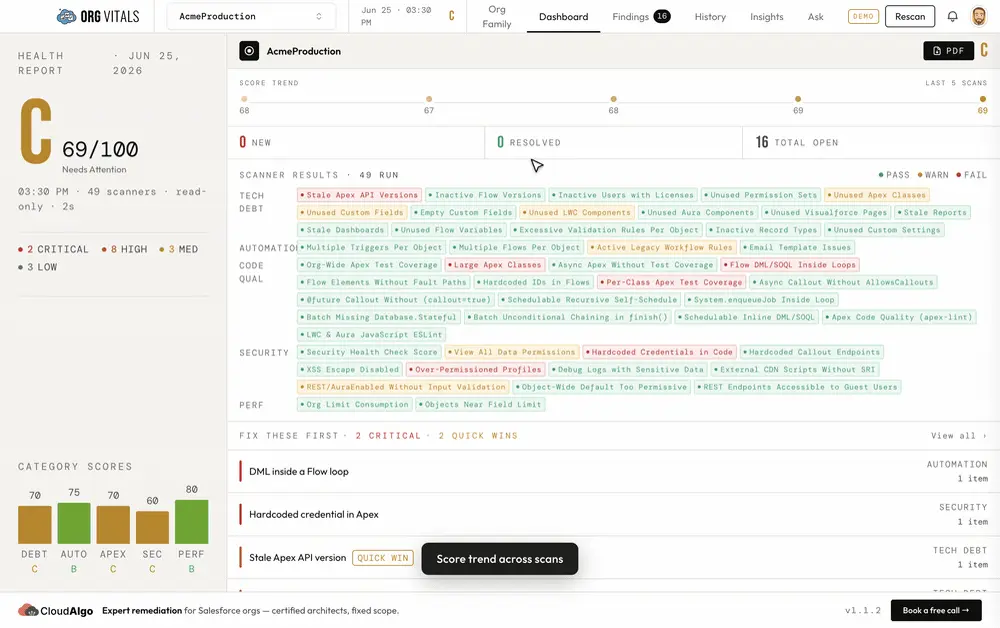
How the grade works. Each finding has a severity that subtracts a penalty from its category’s 100-point base. The five categories roll up by fixed weight into a single overall grade from A to F, and a trend chart tracks that grade across every scan so you can see whether the org is getting healthier over time.
Scanners covered: Security · Code Quality · Automation · Tech Debt · Performance — 49 checks in all, from SOQL injection and over-permissioned profiles to SOQL/DML in loops, unused metadata, duplicate triggers, and org-limit consumption.
Built and maintained by CloudAlgo — the same team behind our Salesforce remediation practice. Download the latest build for macOS, Windows, or Linux from the releases page.
Full detail: Privacy Policy, Terms of Service, Data Processing and Acceptable Use.
What it checks, and what it does with the answers.
Six capabilities · 49 scanners- 01
49 Scanners, 5 Categories
Security, Code Quality, Automation, Tech Debt, and Performance. Scanners run in dependency-ordered waves across a worker pool, so a full org scans in minutes. Everything is read-only — OrgVitals fetches metadata but never writes back to Salesforce.
- 02
An A–F Health Grade
Every finding carries a severity and subtracts from its category's 100-point base. Categories roll up by fixed weight — Security 30%, Code Quality / Automation / Tech Debt 20% each, Performance 10% — into one overall grade, plotted against every prior scan of the org.
- 03
Findings Triage Workflow
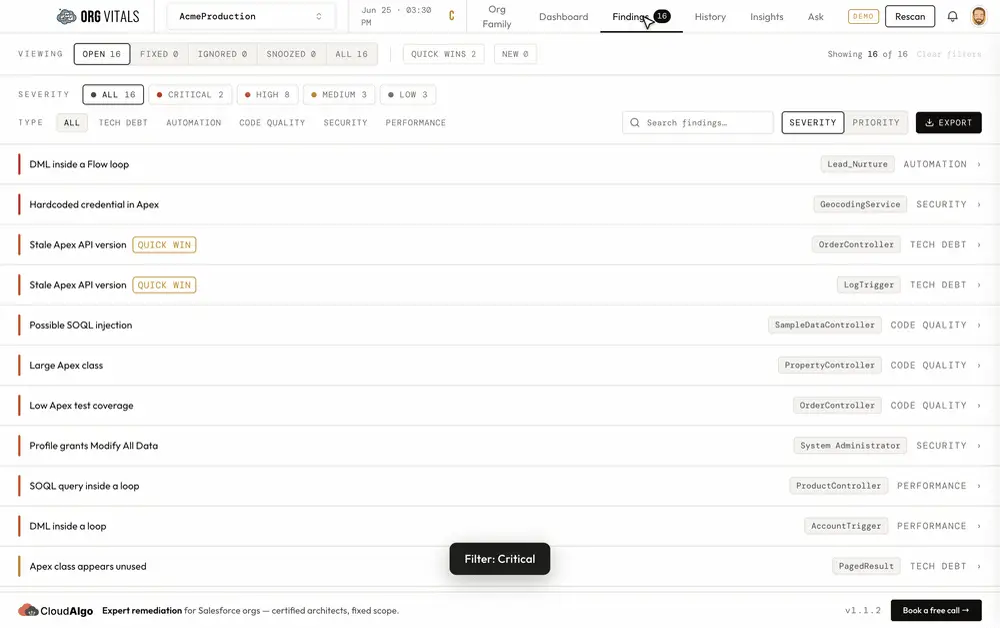
Filter by category, severity, or scanner, and surface quick wins (high impact, low effort). Mark findings fixed, ignored, or snoozed — statuses persist across future scans by a stable key, and a 'managed score' shows your health after triage.
- 04
Insights — Dependency & Impact Graph
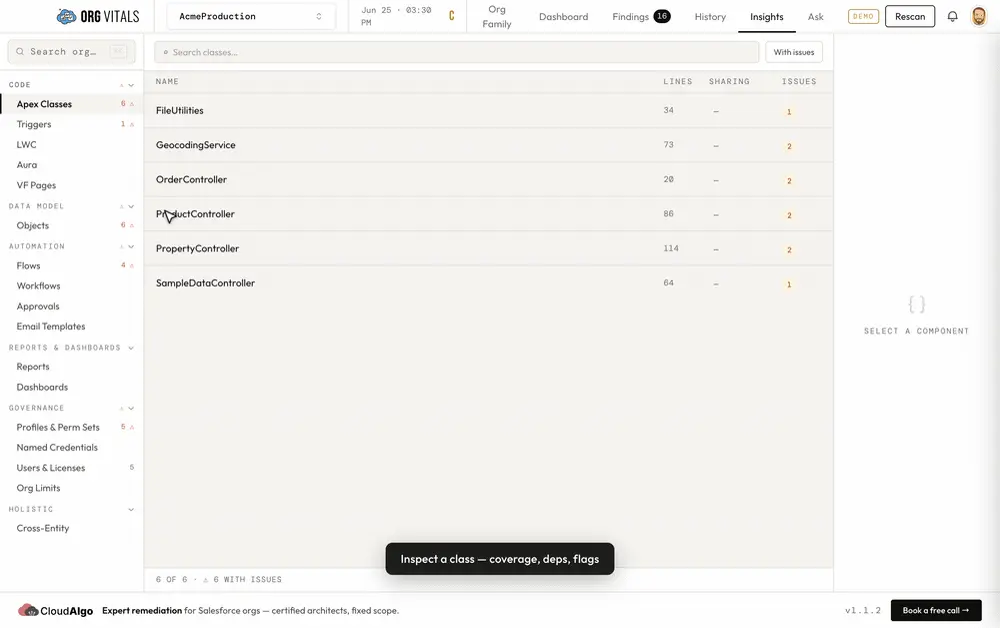
Explore the component graph across triggers, controllers, flows, SOQL, LWC imports, and email-template usage. Impact analysis shows the blast radius of changing any component; global fuzzy search jumps you anywhere in the org.
- 05
Org Families — Cross-Org Comparison
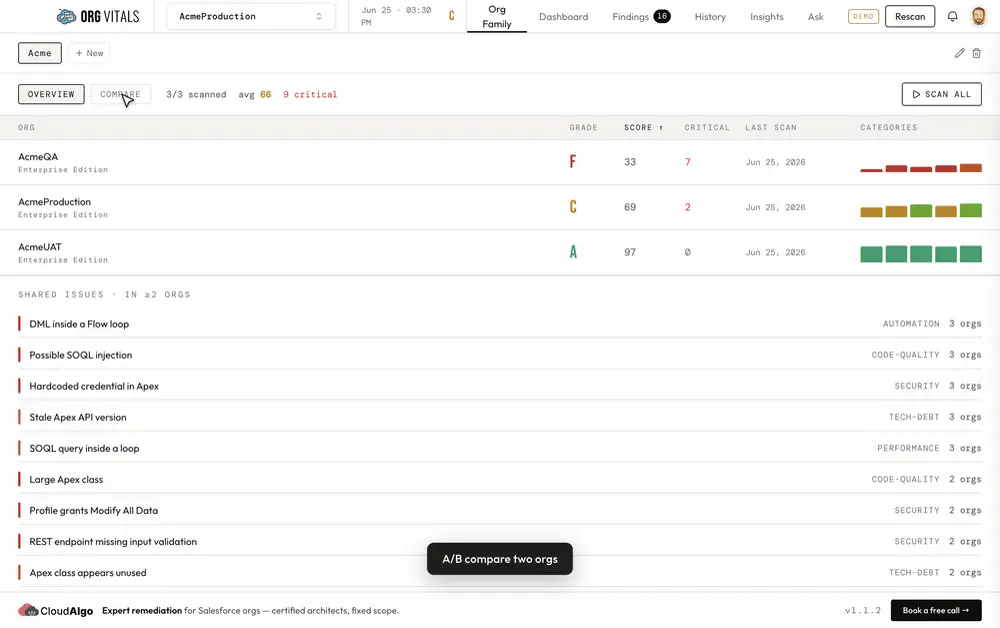
Group production and its sandboxes, then roll up scores side by side, find shared findings across orgs, A/B compare two orgs, and diff metadata or a single component's source line by line.
- 06
Ask Vita — AI Assistant
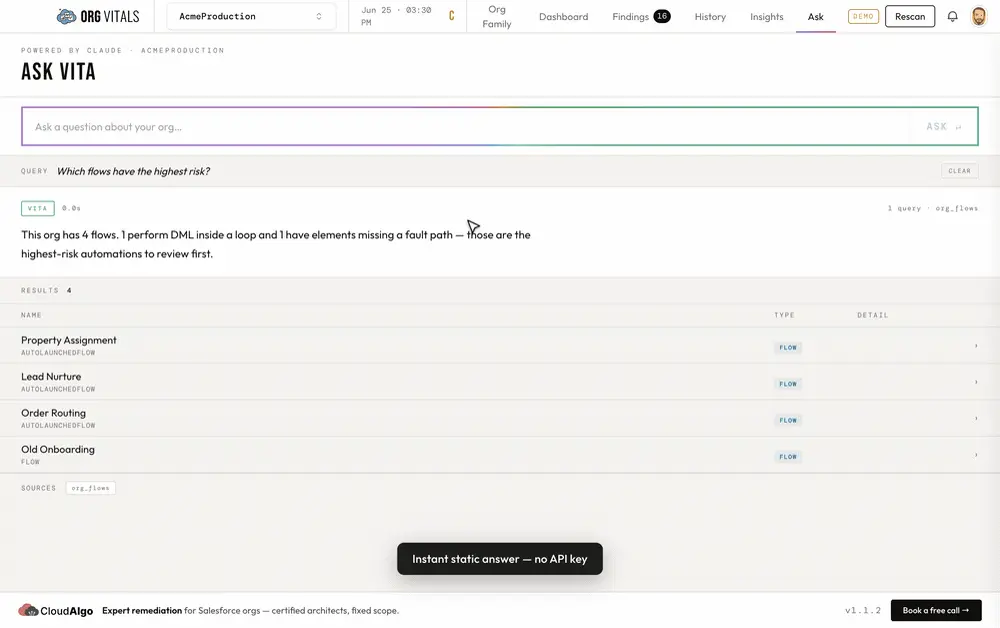
A Claude-powered chat that answers questions about the connected org — 'which flows run on Account?', 'list my critical security findings' — by querying your local snapshot with read-only tools. Vita is opt-in and off by default: once you add your own Anthropic API key and acknowledge it, your questions and the metadata Vita reads go to Anthropic's Claude API — never to CloudAlgo, and never written back to Salesforce.
A minute of it, without installing anything.
Recorded against the demo org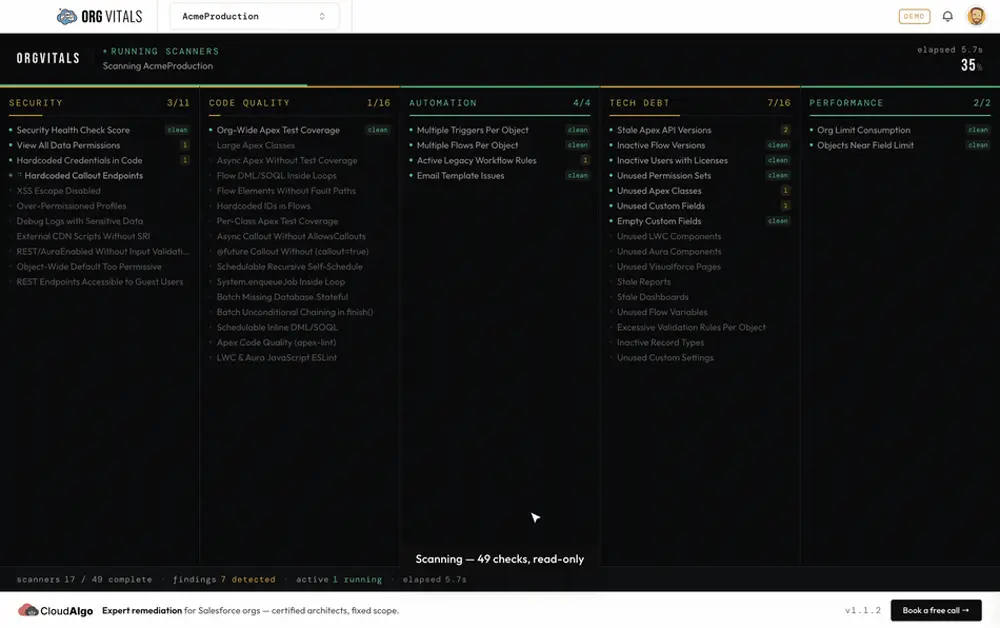
This step was recorded. The still above is the same view, held.
The specification.
As built, v1.1.1- Platform
- Electron desktop · macOS, Windows, Linux
- Salesforce access
- Salesforce CLI (sf) · strictly read-only, no write scopes
- Local store
- SQLite snapshot on your machine — raw metadata and scan results stay local
- Scan engine
- Dependency-ordered scanner waves across a worker pool (max 8)
- AI assistant
- Claude via the Anthropic SDK; API key stored encrypted, queries run against the local DB
- Scoring
- Weighted A–F — Security 30% · Code Quality / Automation / Tech Debt 20% · Performance 10%
- Updates
- In-app auto-update from GitHub Releases
What it costs, and what it needs.
Four prerequisites, three of which you haveFree
One tier, and it is the whole product. No seat count, no trial clock, and no paid edition held back behind it.
- macOS, Windows, or Linux desktop
- Salesforce CLI (sf) installed with at least one authenticated org
- Read access to the org's metadata — no write permissions required
- An Anthropic API key, only if you want Ask Vita
What is shipped, and what is next.
Planned, not promised — no dates- v1.1Shipped
Compare & Triage
Org Families with cross-org rollup and A/B compare, metadata and GitHub-style source diff, remediation prioritization, and a managed score that excludes dismissed findings.
- NextIn build
Guided Cleanup
Turn cleanup-eligible findings — unused Apex, fields, LWC, Aura, and Visualforce — into a reviewed destructiveChanges package you can deploy, with OrgVitals staying strictly read-only against the org.
- LaterPlanned
Team & Continuous
Scheduled and CI-triggered scans plus shareable team dashboards, so org health is tracked continuously rather than one run at a time.
Where to go next.
OrgVitals 1.1.1 · July 2026OrgVitals tells you what is wrong. Fixing it is usually a services question.
A grade is a starting point, not a plan. If the report comes back worse than you expected, send us the categories that failed and we will say plainly whether it is a week of work or a quarter.